
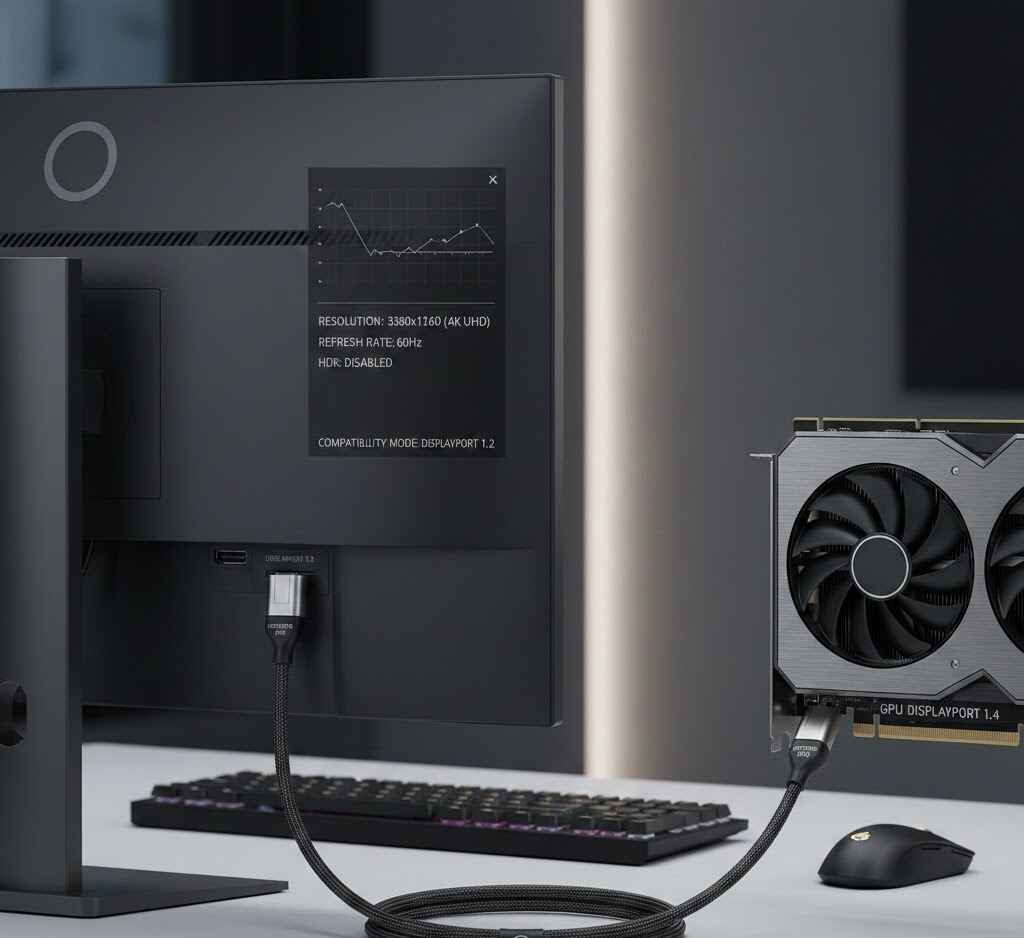
When it comes to upgrading your gaming or productivity setup, choosing the right display connection is crucial for performance, image quality, and ease of use. One of the most common setups is connecting a DisplayPort 1.2 monitor to a 1.4 GPU. But what does that really mean, and how does it impact your experience?
In this article, we’ll explore the capabilities of DisplayPort 1.2 and DisplayPort 1.4, compare their differences, and answer some of the most common questions about GPU and display compatibility.
What is DisplayPort and Why Does It Matter?
DisplayPort (DP) is a video and audio interface standard developed by the VESA (Video Electronics Standards Association). It’s commonly used to connect monitors to computers, particularly in high-performance environments like gaming, professional graphics work, and video editing.
DisplayPort comes in several versions, each offering different features and capabilities. The two versions most relevant for modern users are DisplayPort 1.2 and DisplayPort 1.4.
DisplayPort 1.2 vs. DisplayPort 1.4: Key Differences
The main difference between DisplayPort 1.2 and DisplayPort 1.4 lies in their bandwidth and video resolution support.
- DisplayPort 1.2 offers a maximum bandwidth of 17.28 Gbps, which allows for resolutions up to 3840×2160 (4K) at 60Hz.
- DisplayPort 1.4, on the other hand, pushes the limit with a maximum bandwidth of 25.92 Gbps, enabling higher resolutions, including 8K at 60Hz or 4K at 120Hz.
So, when you connect a DisplayPort 1.2 monitor to a 1.4 GPU, you are still benefiting from the upgraded GPU’s processing power, but you are limited to the maximum capabilities of DisplayPort 1.2.
Can I Use DisplayPort 2.1 on a 1.4 GPU?
DisplayPort 2.1 is the latest version, offering significantly higher bandwidth than 1.4. It supports 8K at 60Hz and 4K at 240Hz with HDR. However, DisplayPort 2.1 is backward compatible with earlier versions, meaning you can use a DisplayPort 2.1 cable with a 1.4 GPU, but the performance will be capped at the capabilities of DisplayPort 1.4.
So, while DisplayPort 2.1 will work on a 1.4 GPU, it won’t unlock the full potential of DisplayPort 2.1, but it’s a future-proof solution for when you decide to upgrade your GPU.
Can DisplayPort 1.2 Run 144Hz?
A popular question among gamers and those who enjoy high refresh rates is whether DisplayPort 1.2 can handle 144Hz.
Yes, DisplayPort 1.2 can support 144Hz at resolutions up to 2560×1440 (1440p). For 1080p displays, you can even achieve higher refresh rates, like 240Hz or 300Hz, as long as your monitor supports it.
However, if you’re aiming for 4K at 144Hz, then you’ll need DisplayPort 1.4 or higher to ensure smooth performance.
Read Also: https://mylinkclicks.com/qnap-453d-virtualization-gpu-passthrough/
Can DP 1.4 Do 500Hz?
When it comes to extreme refresh rates like 500Hz, DisplayPort 1.4 can theoretically handle it, but this is highly dependent on your GPU and monitor capabilities.
In reality, 500Hz displays are rare and often used for specialized applications, such as competitive gaming. For most users, 144Hz to 240Hz is more than enough for a smooth gaming experience.
DisplayPort 1.2 Monitor to 1.4 GPU: Is This Setup Optimal?
If you have a DisplayPort 1.2 monitor and a DisplayPort 1.4 GPU, you may wonder whether you’re getting the most out of your setup.
The good news is that DisplayPort 1.4 GPU will work seamlessly with DisplayPort 1.2 monitors, but you’re essentially capped by the DisplayPort 1.2’s bandwidth and performance limitations. This means that while you get all the GPU’s features, you won’t be able to take advantage of the extra bandwidth and resolutions offered by DisplayPort 1.4.
Pros:
- Compatibility: No issues connecting the two.
- Future-Proofing: You can upgrade your monitor later to take full advantage of DisplayPort 1.4 or 2.1.
- Stable Connection: As long as you use good-quality cables, the connection should be stable and work without issues.
Cons:
- Limited Bandwidth: The 1.2 monitor will only use a portion of the GPU’s capabilities.
- Lower Resolutions/Refresh Rates: If you want 4K at 120Hz, you’ll need a 1.4 monitor to match your 1.4 GPU.
Frequently Asked Questions (FAQs)
1. Is DisplayPort 1.2 or 1.4 Better?
DisplayPort 1.4 is better for users who want higher resolutions and refresh rates. It supports 8K at 60Hz and 4K at 120Hz, offering more bandwidth than DisplayPort 1.2, which maxes out at 4K at 60Hz.
2. Can DisplayPort 1.2 Run 144Hz?
Yes, DisplayPort 1.2 can run 144Hz at 1440p and 1080p resolutions, but 4K at 144Hz requires DisplayPort 1.4.
3. Can I Use DisplayPort 2.1 on a 1.4 GPU?
You can use DisplayPort 2.1 with a 1.4 GPU, but the performance will be limited to DisplayPort 1.4 specifications.
4. Is 12GB GPU Enough for Gaming?
Yes, 12GB GPUs are more than enough for gaming at 4K or high-settings at 1440p. Most modern games won’t need more than 8GB of VRAM, but 12GB provides ample headroom for future games.
5. GPU for i5 4460: What’s a Good Match?
The Intel i5-4460 is a mid-range CPU from Intel’s fourth generation. For a balanced performance, consider a GTX 1660 or RTX 2060 for gaming at 1080p or 1440p. These GPUs won’t bottleneck the performance of your CPU.
6. Should I Connect HDMI to GPU or Motherboard?
Always connect your display to the GPU for better performance. The motherboard‘s integrated graphics typically offer lower performance compared to dedicated graphics cards.
GPU Performance and Temperatures: What You Need to Know
When connecting a DisplayPort 1.2 monitor to a 1.4 GPU, it’s important to monitor your GPU’s temperature and overall performance. A GPU running too hot can negatively affect its performance and longevity.
Is 87°C Too Hot for a GPU?
While 87°C is on the higher side for a GPU under load, it’s not necessarily dangerous. However, consistently high temperatures can degrade performance over time. Aim to keep your GPU temperatures under 80°C during intense gaming sessions.
Why is My GPU at 100%?
If your GPU is running at 100% utilization, it means that it’s fully engaged in rendering tasks. This is normal during gaming or heavy applications, but it could indicate poor cooling or a bottleneck if your system is underperforming.
Conclusion:
Connecting a DisplayPort 1.2 monitor to a 1.4 GPU is perfectly fine and will offer you a solid display experience, but you won’t be unlocking the full potential of the 1.4 GPU. For higher resolutions, refresh rates, and better visual performance, consider upgrading to a DisplayPort 1.4 monitor or higher.
By understanding the differences between DisplayPort 1.2 and 1.4, and keeping in mind factors like GPU temperature, refresh rates, and VRAM, you can make informed decisions to enhance your gaming or productivity experience. Whether you’re upgrading your setup or troubleshooting issues, this guide has you covered.