
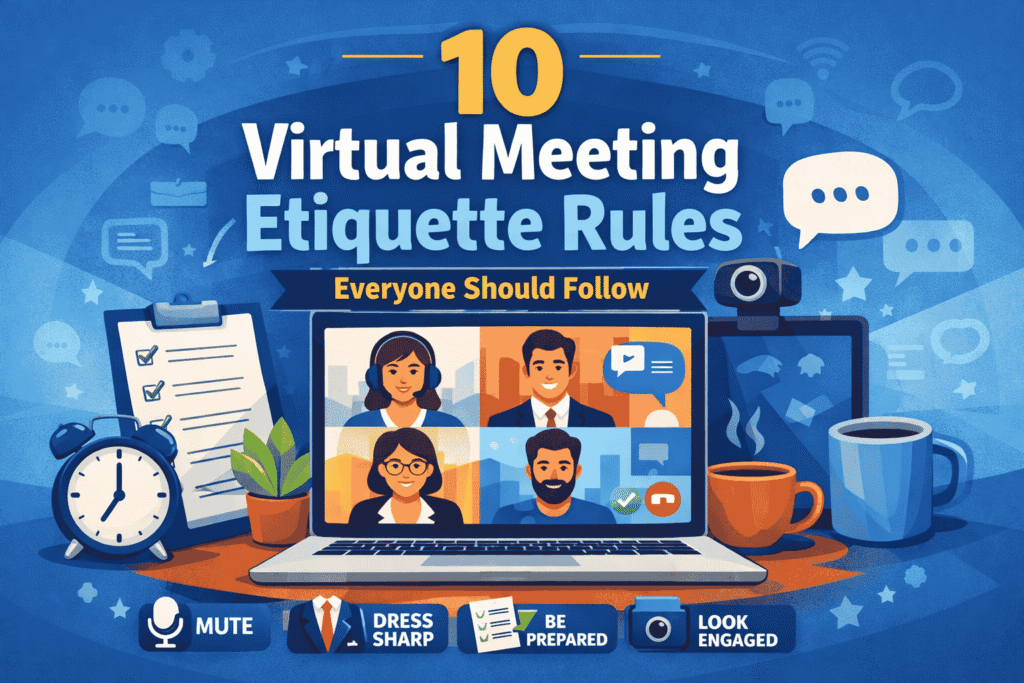
Virtual meetings have become a normal part of modern work culture. Whether you’re working remotely, attending online classes, or collaborating with international teams, platforms like Zoom, Microsoft Teams, and Google Meet are now essential tools.
But here’s the thing—just showing up to a virtual meeting isn’t enough.
How you behave, communicate, and present yourself during an online meeting can directly impact your professional image. This is where virtual meeting etiquette comes in.
In this guide, you’ll learn 10 essential virtual meeting etiquette rules that will help you appear more professional, communicate clearly, and leave a strong impression in every meeting you attend.
What is Virtual Meeting Etiquette?
Virtual meeting etiquette refers to the set of guidelines and behaviors that ensure professionalism and respect in online meetings.
It includes everything from how you dress and speak to how you manage your microphone, camera, and environment.
In simple terms:
Virtual meeting etiquette is about behaving professionally in a digital workspace, just like you would in a physical office.
Why Virtual Meeting Etiquette Matters More Than Ever
With remote work becoming the norm, your online presence often replaces face-to-face interaction. This means people judge your professionalism based on your behavior during virtual meetings.
Here’s why it matters:
- First impressions are digital now – Your video presence speaks for you
- Clear communication reduces confusion
- Professional behavior builds trust
- Good etiquette improves team productivity
Ignoring these basics can make you appear careless, distracted, or even disrespectful.
10 Virtual Meeting Etiquette Rules Everyone Should Follow
Let’s break down the most important rules you should always follow.
1. Join the Meeting on Time
Punctuality is one of the simplest yet most powerful signs of professionalism.
Joining a meeting late disrupts the flow and signals a lack of respect for others’ time.
Best practices:
- Join 3–5 minutes early
- Test your internet connection beforehand
- Keep the meeting link ready
If you’re running late, inform the host in advance instead of silently joining late.
2. Dress Appropriately for the Meeting
Even if you’re working from home, your appearance still matters.
Dressing professionally shows that you take the meeting seriously.
What to wear:
- Clean, simple, and appropriate clothing
- Avoid overly casual outfits like pajamas
- Choose neutral colors for a clean look
Remember, people notice your appearance before you even start speaking.
3. Keep Your Microphone Muted When Not Speaking
Background noise can be extremely distracting in virtual meetings.
A barking dog, keyboard typing, or traffic sounds can interrupt the entire discussion.
Etiquette tip:
- Always mute your mic when you’re not speaking
- Unmute only when it’s your turn
- Use headphones for better audio clarity
This small habit can instantly make you appear more professional.
4. Maintain Eye Contact with the Camera
In virtual meetings, eye contact doesn’t mean looking at your screen—it means looking at your camera.
This creates a sense of connection and confidence.
How to improve:
- Position your camera at eye level
- Avoid constantly looking down
- Practice speaking while looking into the lens
It may feel unnatural at first, but it makes a big difference in how others perceive you.
5. Choose a Clean and Distraction-Free Background
Your background says a lot about you.
A messy or noisy environment can make you look unorganized and unprepared.
Best options:
- Plain wall or minimal setup
- Quiet environment
- Use virtual backgrounds if needed
Good lighting is also important—make sure your face is clearly visible.
6. Avoid Multitasking During Meetings
Checking emails, scrolling your phone, or working on something else during a meeting is a major red flag.
It shows a lack of interest and respect.
Why it matters:
- You miss important information
- You may be called out unexpectedly
- It reduces your overall engagement
Stay focused and actively participate when needed.
7. Be Prepared Before the Meeting Starts
Preparation is what separates professionals from beginners.
Joining a meeting without knowing the agenda wastes everyone’s time.
Before the meeting:
- Review the agenda
- Prepare notes or questions
- Keep documents ready
Being prepared allows you to contribute confidently and effectively.
8. Speak Clearly and Keep It Concise
Virtual communication requires clarity.
Long, unclear explanations can confuse others and slow down the meeting.
Tips for better communication:
- Speak slowly and clearly
- Get straight to the point
- Avoid interrupting others
Pause briefly after speaking to ensure your message is understood.
9. Use Chat Features Professionally
Most platforms offer chat features, but they should be used wisely.
Avoid sending unnecessary or distracting messages during the meeting.
Do this instead:
- Use chat for relevant questions
- Share useful links or documents
- Maintain a professional tone
Think before you type—everyone can see your messages.
10. End the Meeting on a Positive and Professional Note
How you leave a meeting is just as important as how you join it.
A proper closing leaves a lasting impression.
Good closing etiquette:
- Thank the host and participants
- Confirm action items if needed
- Say a polite goodbye
Never leave abruptly unless absolutely necessary.
Virtual Meeting Etiquette Checklist
Before joining your next meeting, run through this quick checklist:
- Stable internet connection
- Working microphone and camera
- Clean and quiet background
- Professional appearance
- Notes or agenda ready
This simple checklist can prevent most common issues.
Common Virtual Meeting Mistakes to Avoid
Even experienced professionals make mistakes in virtual meetings.
Here are some common ones you should avoid:
- Joining late without notice
- Keeping your mic unmuted unnecessarily
- Speaking over others
- Turning off your camera without reason
- Appearing distracted or disengaged
Fixing these small mistakes can significantly improve your professional image.
How to Look More Professional in Virtual Meetings
If you want to stand out, focus on these small details:
- Sit upright and maintain good posture
- Use proper lighting (natural light works best)
- Keep your camera stable
- Nod or react to show engagement
- Avoid unnecessary movements
Professionalism is often about consistency in small habits.
The Future of Virtual Meetings
As remote work continues to grow, virtual meetings will remain a key part of professional communication.
Companies are increasingly valuing:
- Clear communication
- Digital professionalism
- Remote collaboration skills
Mastering virtual meeting etiquette is no longer optional—it’s a core skill.
Conclusion
Virtual meetings are now a permanent part of how we work, communicate, and collaborate.
By following these 10 virtual meeting etiquette rules, you can:
- Build a strong professional presence
- Communicate more effectively
- Gain respect from colleagues and clients
In the digital world, your behavior on screen defines your reputation.
So next time you join a meeting, remember:
Professionalism doesn’t stop at the office—it continues online.
FAQs
What is virtual meeting etiquette?
Virtual meeting etiquette refers to the professional behavior and best practices followed during online meetings.
Why is virtual meeting etiquette important?
It helps create a professional image, improves communication, and ensures productive meetings.
Should I always turn my camera on?
If possible, yes. Keeping your camera on shows engagement and builds trust.